
How-to
How to install the Chitral Bazaar app on your phone (no Play Store needed)
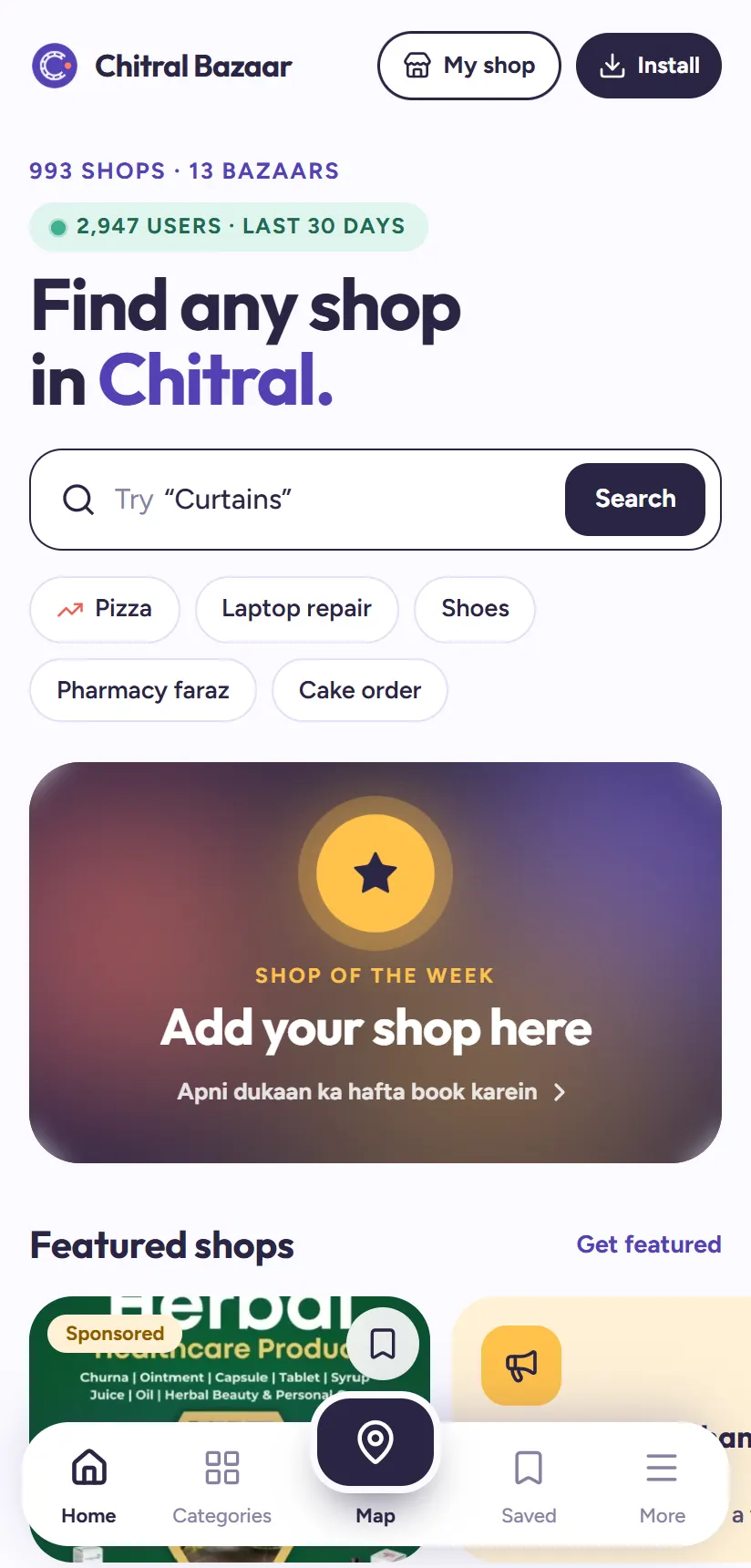
You don't need the Play Store to get Chitral Bazaar on your phone. It installs straight from the website, takes a few seconds, and uses almost no storage.
Once installed, it opens full screen from your home screen like any other app: no browser bar, no typing the address, and it loads faster each time. Here's how to do it on Android and on iPhone.
1Open chitralbazaar.com on your phone
Open chitralbazaar.com in your phone's browser: Chrome on Android, Safari on iPhone. On phones you'll see a small dark Install button at the top right of the page.
The first time you open the Home page, a card may also pop up saying Get the app. It flies. with an install button. You can use either one.
2On Android: tap Install, then Install again
Tap Install at the top of the page. Chrome shows a small window asking to install Chitral Bazaar. Tap Install in that window.
After a moment the Chitral Bazaar icon appears on your home screen and in your app list, like any app from the Play Store.
Tip: Don't see the Install button? Open Chrome's ⋮ menu at the top right and choose Install app or Add to Home screen. It does exactly the same thing.
3On iPhone: Share, then Add to Home Screen
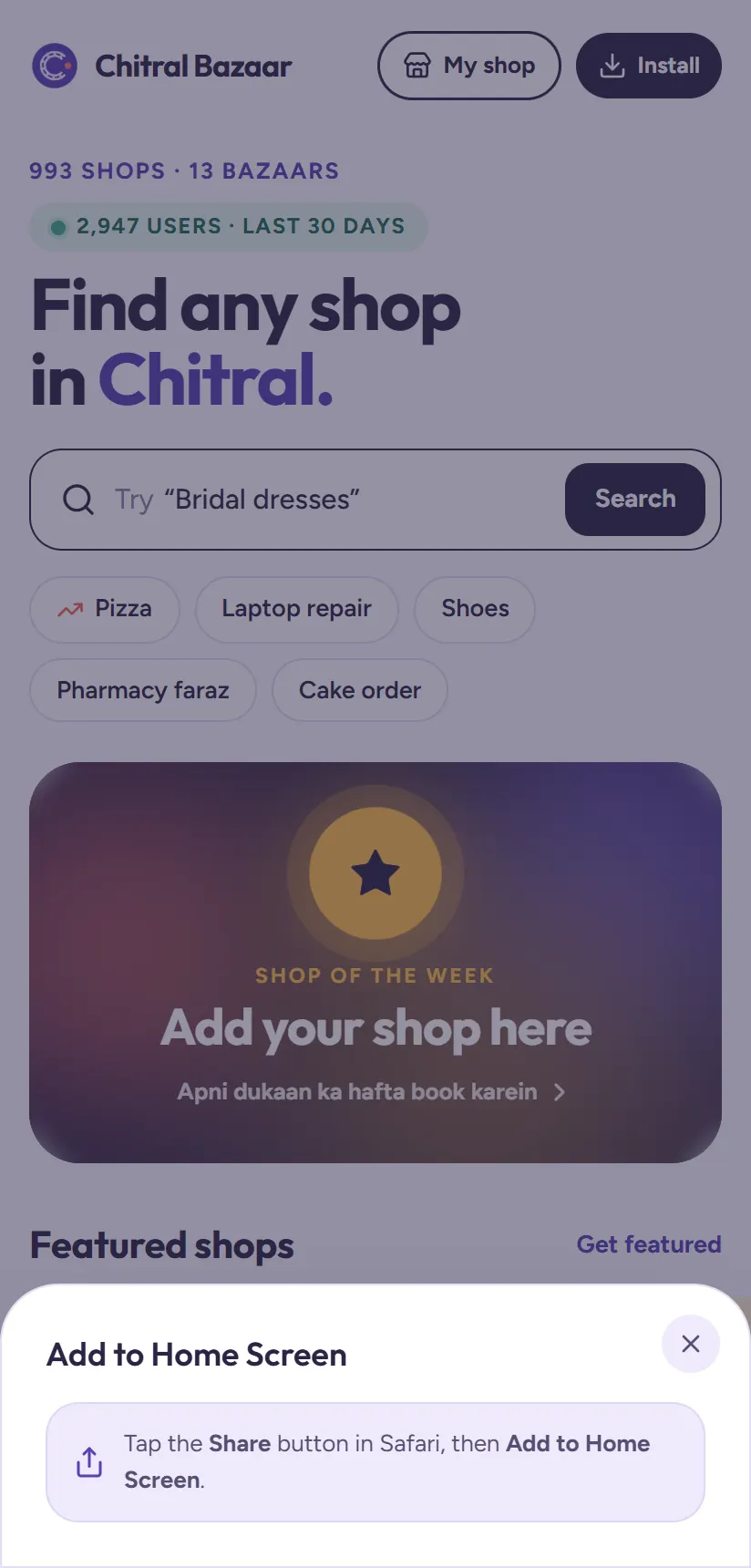
On iPhone, apps from websites are added through Safari. Tap Install at the top of the page and Chitral Bazaar shows you the two steps.
Tap Safari's Share button (the square with an arrow pointing up), scroll down, and tap Add to Home Screen. Then tap Add.
4Open it from your home screen
Tap the new Chitral Bazaar icon. The app opens full screen, without Safari's or Chrome's address bar, and starts on the Home page with the search box ready.
Why install it instead of using the browser
The website and the app are the same Chitral Bazaar, with the same shops. Installing just makes it quicker to use every day:
- One tap from your home screen, with no typing and no searching for the website.
- Faster loading, because your phone keeps the app's files ready.
- Full screen, so there's more room for shops, photos and the map.
- Always up to date. New shops and features appear automatically. There's nothing to update from a store.
- Tiny size. It uses far less storage than a typical app from the Play Store.
- Your saved shops stay on your phone, ready in the Saved tab.
Not working? Quick fixes
Most install problems have a simple cause:
- No Install button on Android? Make sure you're in Chrome, not inside Facebook's or WhatsApp's built-in browser. Tap the ⋮ or Open in Chrome option first, then install.
- No Add to Home Screen on iPhone? It only appears in Safari. Copy the link, open Safari, paste it, then use Share → Add to Home Screen.
- The icon disappeared? Check your app drawer or search your phone for "Chitral Bazaar". Some phones put new apps there instead of the home screen.
- Pages loading slowly? Check your mobile data or Wi-Fi signal. The app needs an internet connection, like the website, to show the latest shops.
Removing it later
If you ever want to remove it, do it like any other app: press and hold the Chitral Bazaar icon and choose Uninstall or Remove App. You can still use the website in your browser whenever you like.
Now try it
Search for something you need today, a cake for a birthday, a phone repair or a seat to Peshawar, and tap WhatsApp or Call to reach the shop directly.
Questions people ask
Is Chitral Bazaar on the Google Play Store?
You don't need the Play Store. Chitral Bazaar installs straight from chitralbazaar.com: tap Install at the top of the page on Android, or use Share → Add to Home Screen in Safari on iPhone.
Is the app free?
Yes. Installing and using Chitral Bazaar is completely free.
Why don't I see the Install button?
It only shows on phones, and not if the app is already installed. On Android you can also use Chrome's ⋮ menu → Install app. On iPhone, use Safari, not another browser.
Does the app take a lot of storage?
No. It uses far less storage than a typical Play Store app, because it is the website saved to your home screen.
Can't find a shop?
Tell us about it on the Suggest a shop page, and we'll add it so others can find it too.