
For shop owners
How to claim your shop on Chitral Bazaar
Most shops in Chitral are already on Chitral Bazaar, added by our team as we visited the bazaars. Customers are finding them, calling them and sending WhatsApp messages every day.
Claiming your shop makes the page yours. You can keep your hours and photos up to date, reply to reviews, and see exactly how many people viewed and contacted your shop. Your page also gets the Owner verified badge. Claiming is free and takes two minutes.
1Find your shop and tap "Claim it"
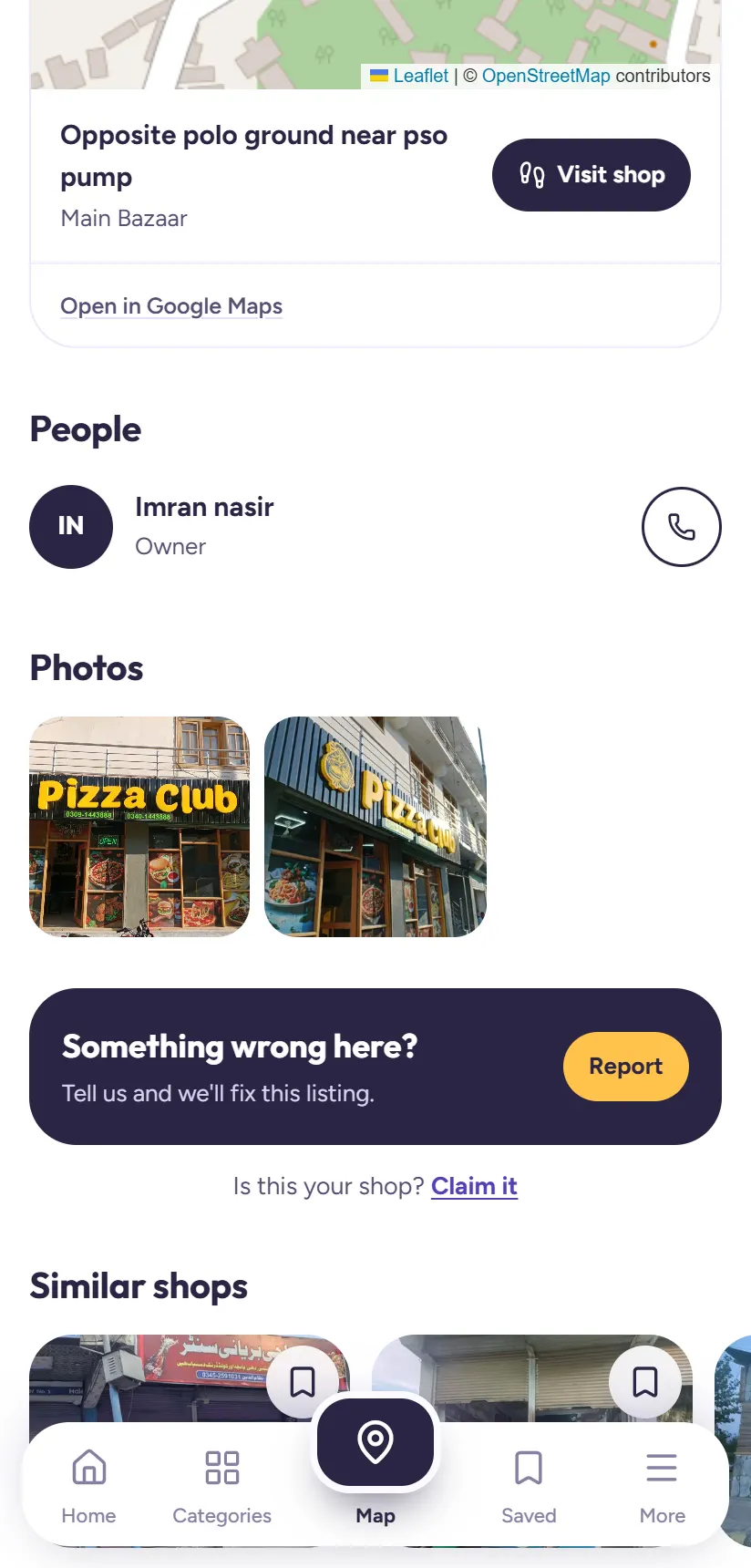
Search your shop's name on chitralbazaar.com and open its page. Near the bottom, under the photos and the Report box, you'll see Is this your shop? Claim it. Tap Claim it.
Can't find your shop? Register it first. It's free.
2Get your claim code from our team
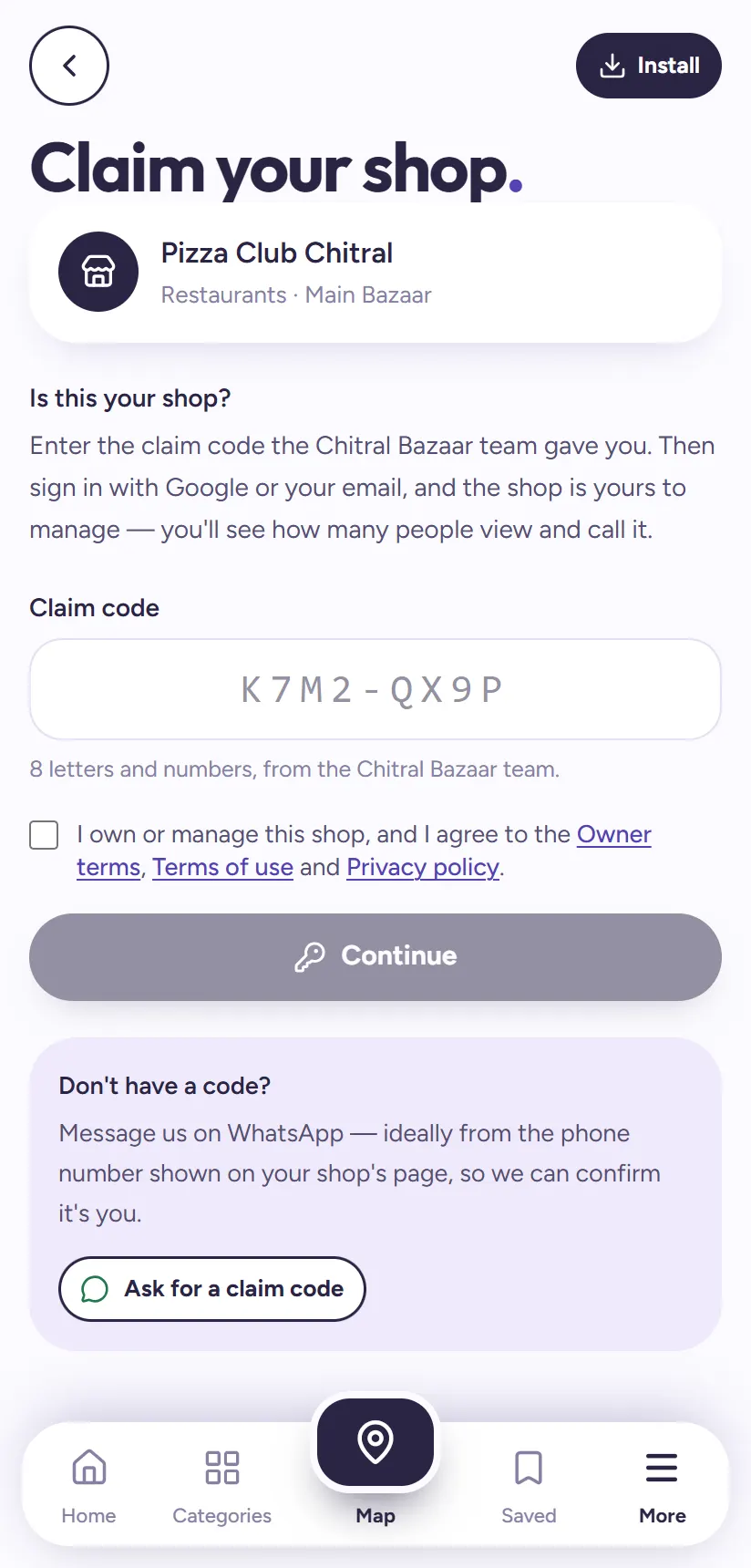
To make sure only the real owner can claim a shop, you need a claim code: 8 letters and numbers, like K7M2-QX9P. Each code works once, for one shop.
Don't have one? On the claim page, tap Ask for a claim code. It opens WhatsApp with a message to our team. Send it from the phone number shown on your shop's page if you can; that's how we confirm it's really you. We reply with your code.
Tip: Our team can also give you the code in person when we visit your bazaar.
3Enter the code and agree to the owner terms
Type the code into the Claim code box. Tick the box confirming you own or manage the shop and agree to the Owner terms, Terms of use and Privacy policy. Then tap Continue.
4Sign in with Google or your email
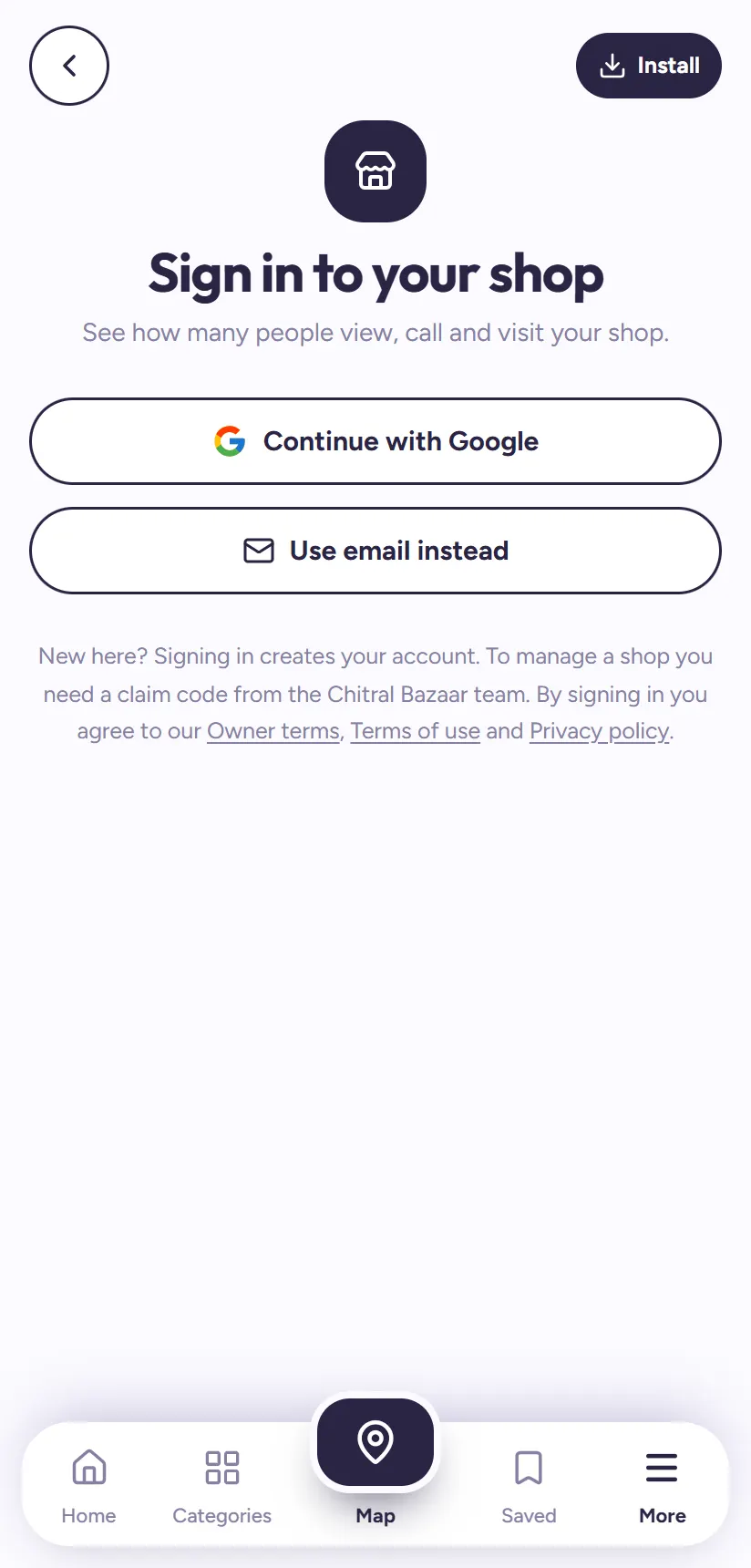
Sign in with Continue with Google, or tap Use email instead and type the code we email you. This becomes your owner account. Next time, you sign in the same way at chitralbazaar.com/owner, or with the My shop button at the top of the Home page.
5Your shop is yours
That's it. Your shop page now shows Owner verified, and you land in your shop dashboard. It has five tabs: Overview (your numbers), Products, Edit shop, Grow and Account.
In Overview you can see how many people opened your page, how many called, WhatsApped or used Visit Shop, your busiest days and times, and even the words people searched before finding you.
Why it's worth claiming
Your shop gets customers through Chitral Bazaar whether you claim it or not. Claiming lets you see them and win more of them:
- See your numbers: daily page views, calls, WhatsApp messages and Visit Shop taps, your busiest days and times, and the words people searched to find you.
- Keep it right: wrong hours or an old phone number send customers away. As the owner you fix them yourself.
- Build trust: the Owner verified badge tells customers the page is run by the real shop.
- Answer reviews publicly, and list your products when the marketplace opens.
What to do first
Shops that update their page in the first week get noticeably more customers. Start with these:
- Check your opening hours, so customers see Open now at the right times.
- Add up to three photos: your shop front and sign, and inside the shop.
- Add the words people search for in What you sell: products, brands and services.
- Reply to any reviews you already have.
Tip: Full step-by-step help is in How to keep your shop page fresh.
Questions people ask
Is claiming my shop free?
Yes. Claiming and managing your shop on Chitral Bazaar is free.
Where do I get a claim code?
Tap Ask for a claim code on the claim page to message our team on WhatsApp, ideally from the phone number shown on your shop's page. Each code is 8 characters and works once.
Someone else claimed my shop. What do I do?
The claim page will say the shop already has an owner. Contact us and we'll check and sort it out with the real owner.
Can I change my shop's name or phone number after claiming?
Yes, in Edit shop → Contact & location. Changes to the name, category, phone, WhatsApp, area and map pin are checked by our team before they show; hours, photos and what you sell change straight away.
Can't find a shop?
Tell us about it on the Suggest a shop page, and we'll add it so others can find it too.