
How-to
How to write, edit or delete a shop review on Chitral Bazaar
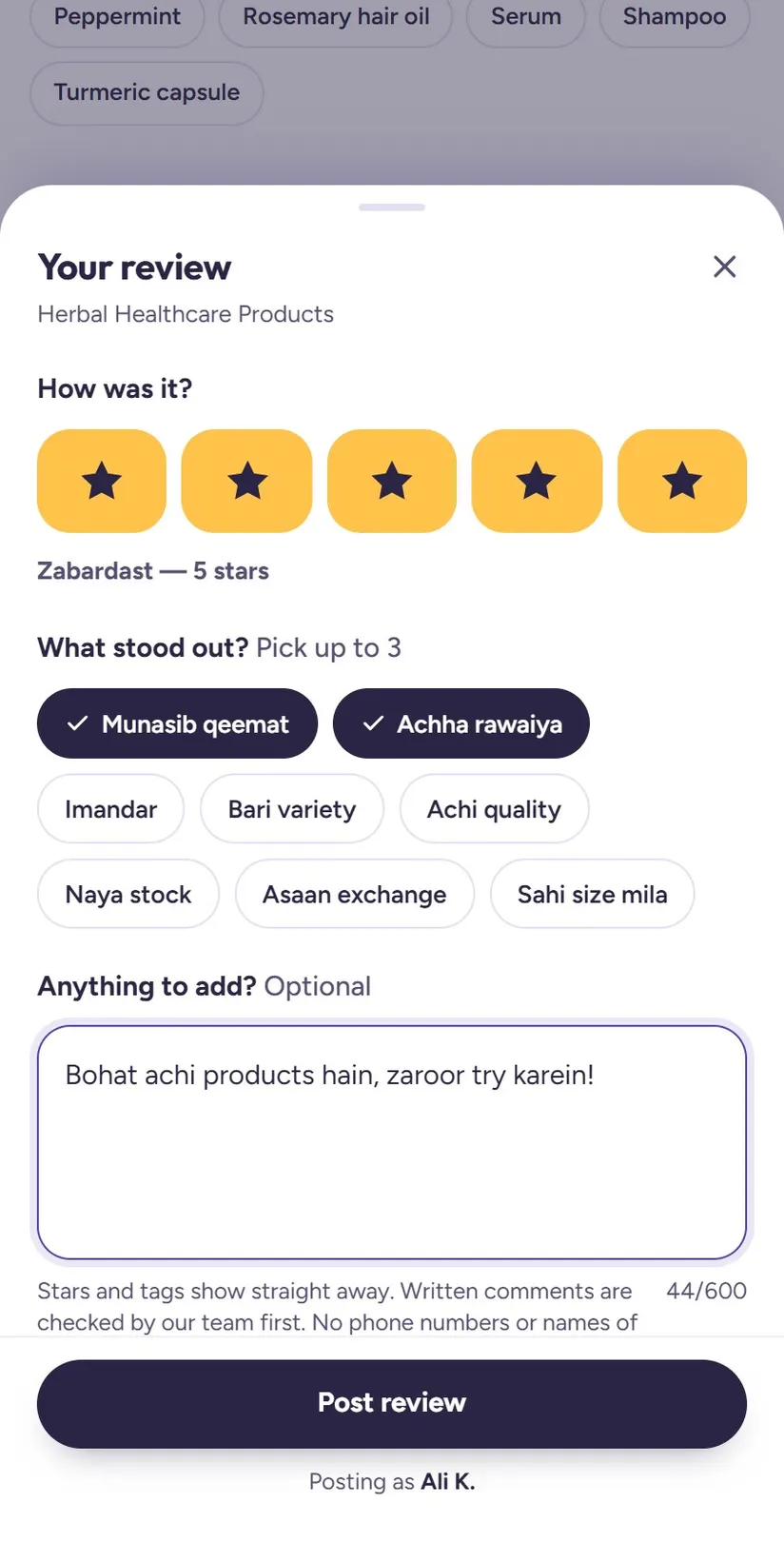
Before visiting a shop, most of us ask around: is it good, are the prices fair, is the shopkeeper honest? Reviews on Chitral Bazaar put those answers on the shop's page, from real people in Chitral.
Writing one takes about ten seconds. This guide shows every step, and how to change or remove your review later.
1Open the shop and tap "Write a review"
Search for the shop or open it from a category, then scroll down to the Reviews section on its page. Tap Write a review.
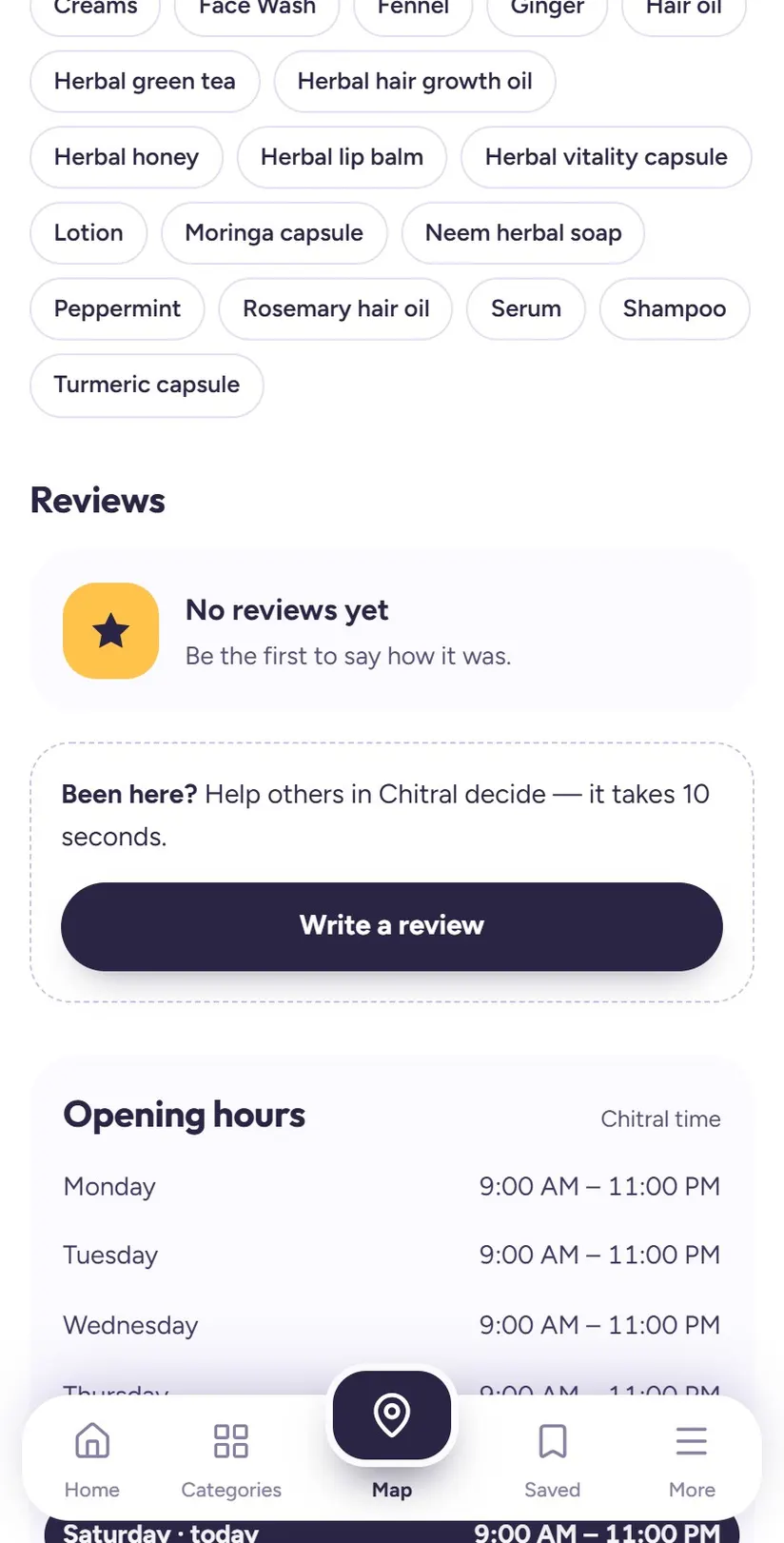
2Sign in once, with Google or an email code
To keep reviews honest, you sign in the first time. Tap Continue with Google and pick your account, or tap Use an email code instead and type the code we email you.
Your email address is never shown to anyone. Your review shows only your first name and the first letter of your surname, like "Ayesha K."
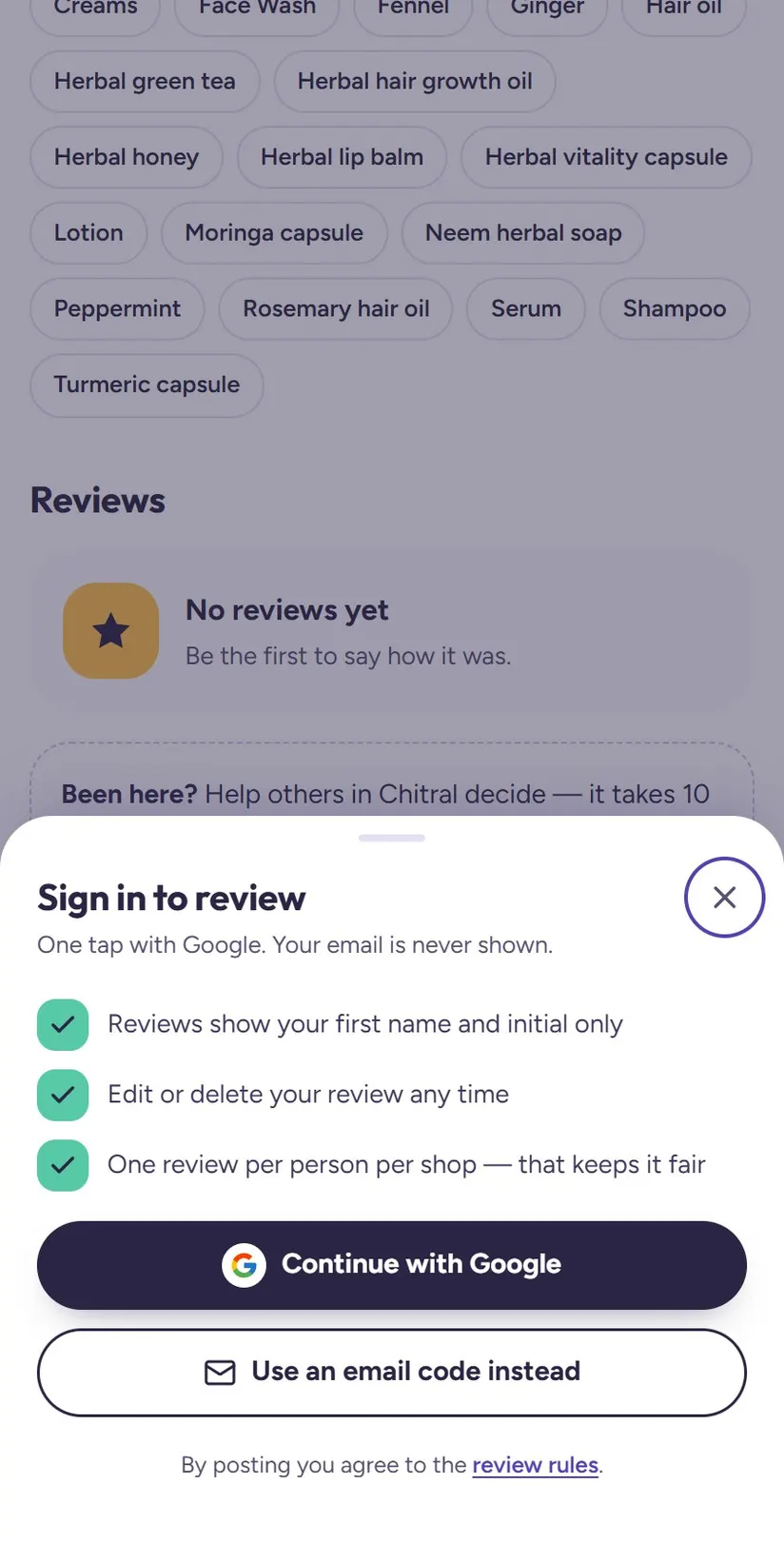
3Pick your stars, tags and an optional comment
Tap one to five stars. Then pick up to three tags for what stood out, such as Achi quality, Munasib qeemat (fair price), Achha rawaiya (good behaviour), Imandar or Naya stock.
If you want, add a short comment of up to 600 characters in English, Urdu or Roman Urdu. Then tap Post review.
Tip: Be specific and fair: what did you buy, how was the price, how were you treated? "Original charger, fair price, fixed in 20 minutes" helps others far more than "good".
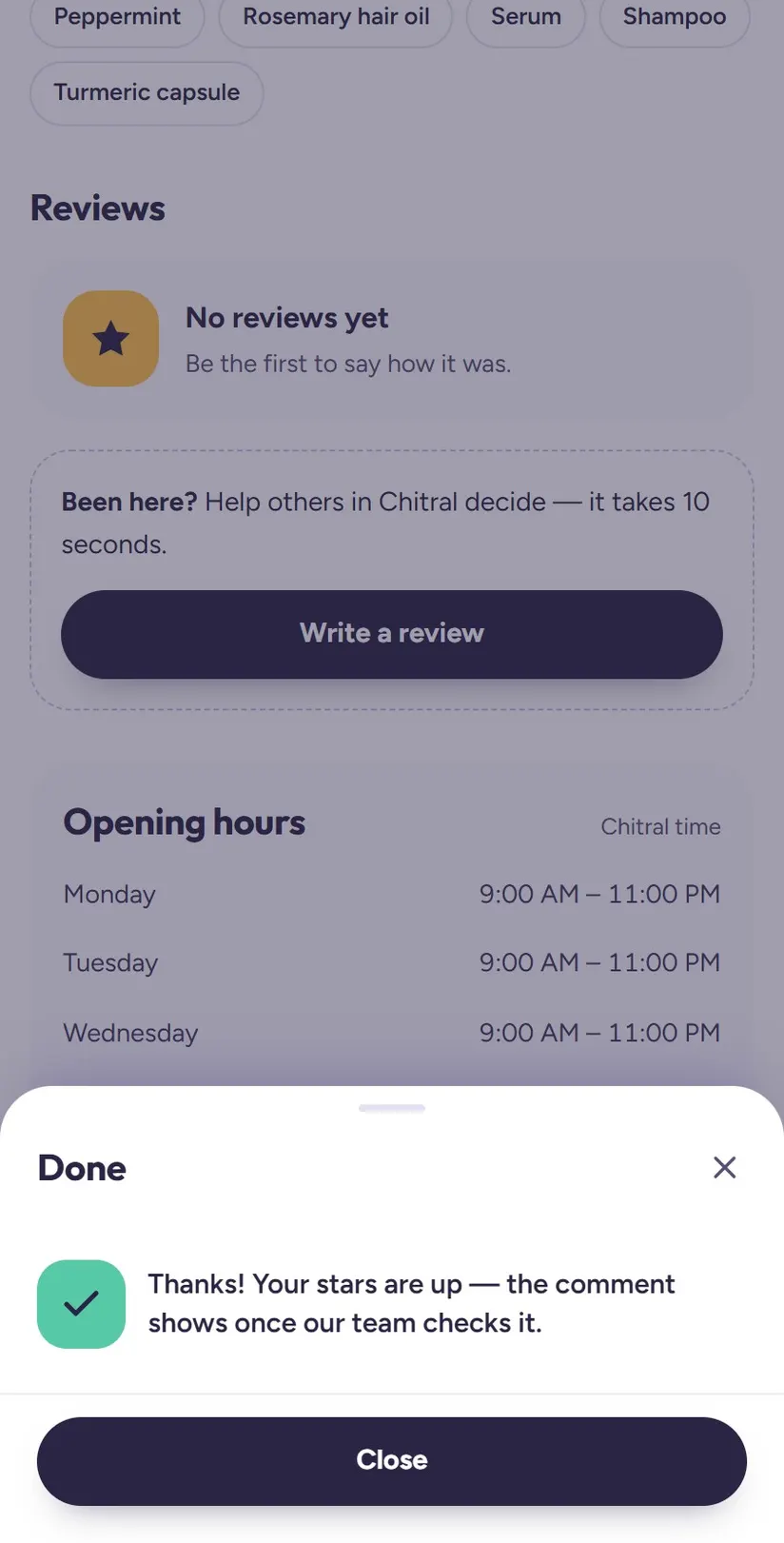
4Your stars appear straight away
Your stars and tags show on the shop's page immediately. Written comments are read by our team first and appear once approved, usually the same day. This keeps out phone numbers, insults and fake reviews.
5Change your review any time
Changed your mind after a second visit? Open the same shop and tap Write a review again. It opens Edit your review, with your earlier stars, tags and comment filled in. Change anything and tap Save changes.
If you edit the comment, it is checked again before it shows.
6Delete your review
To remove it completely, open the shop and tap Write a review to open your review. Tap Delete my review at the bottom, then Delete to confirm. Your stars, tags and comment are removed, and the shop's rating is recalculated.
What makes a review helpful
The best reviews answer the questions people ask before visiting a shop. Mention what you bought or had repaired, whether the price felt fair, how long it took, and how the shopkeeper treated you.
Short is fine. Even one honest sentence is more useful than none. Write in whatever language you are comfortable with: English, Urdu or Roman Urdu all work.
- Helpful: "Bought school shoes for my son, good quality and a fair price. The owner let us try three sizes."
- Helpful: "Screen replaced in 30 minutes, original part, one-month warranty."
- Not helpful: "Good" or "Bad" with no reason. Tell others why.
Tip: Had a bad experience? Say what happened, calmly and specifically. The owner can reply publicly, and many problems get fixed that way.
The rules that keep reviews fair
A few simple rules keep reviews useful for everyone:
- One review per person per shop. You can edit it, but you can't post a second one.
- Shop owners can't review their own shop.
- No phone numbers, insults or personal details in comments.
- Shop owners can reply once, publicly, under your review.
- See something wrong? Tap Report under any review and our team will look at it.
Questions people ask
Will my name or email be shown on my review?
Only your first name and the first letter of your surname are shown, for example "Ayesha K." Your email address is never shown.
Why isn't my comment showing yet?
Stars and tags show straight away. Written comments are checked by the Chitral Bazaar team first and appear once approved, usually the same day.
Can I review the same shop twice?
No, it's one review per person per shop. To change it, tap Write a review on the shop's page again: it opens your review for editing.
How do I delete my review?
Open the shop, tap Write a review to open your review, tap Delete my review at the bottom, then Delete to confirm.
Can't find a shop?
Tell us about it on the Suggest a shop page, and we'll add it so others can find it too.